RESOURCE GURU x ASANA INTEGRATION
Turn Asana tasks into a flexible team schedule
Integrate Asana with Resource Guru to assign tasks to the right people at the right time, balance workloads, and keep projects on track.
Try Resource Guru for FreeAbout the Resource Guru x Asana integration
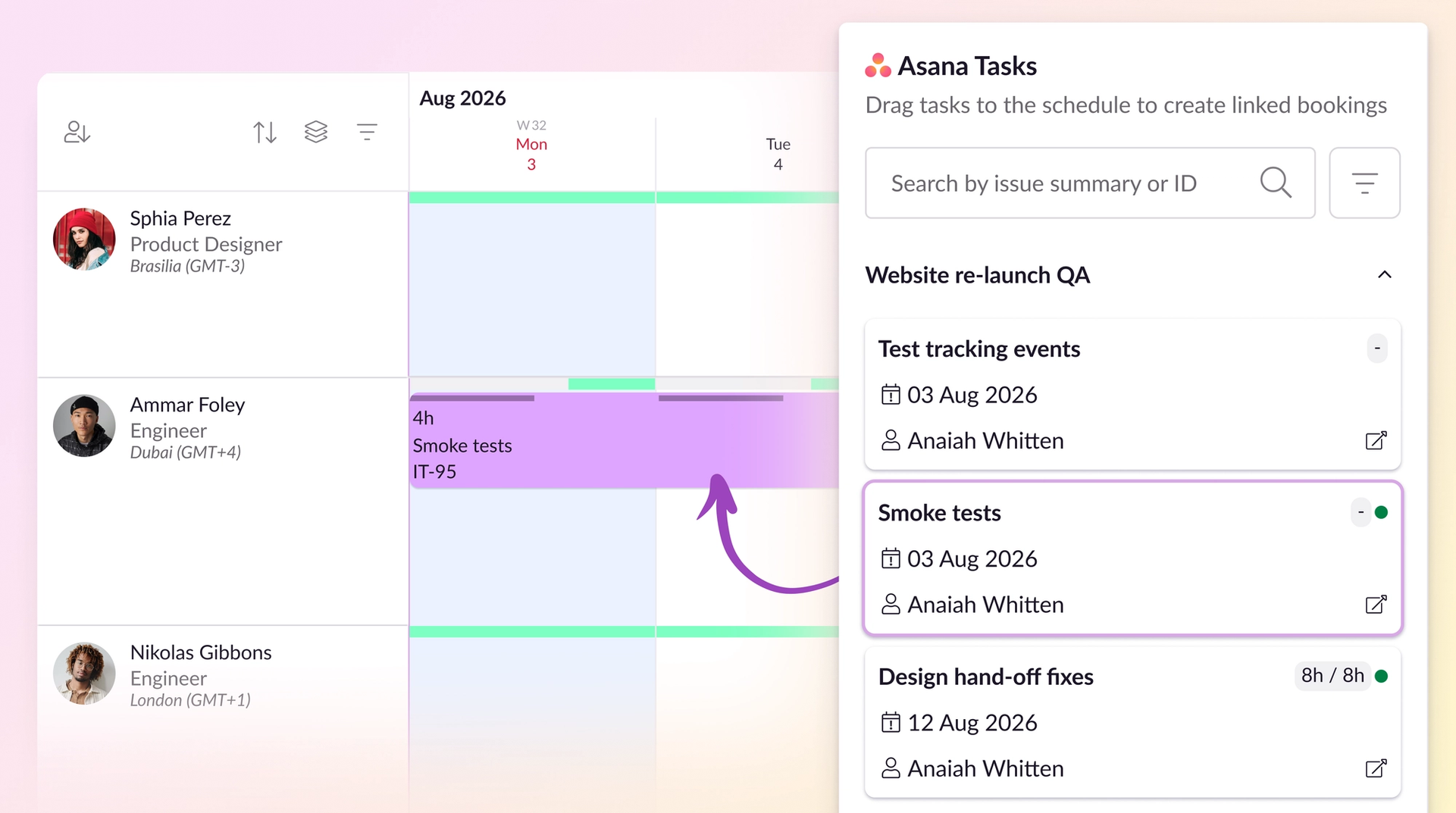
This out-of-the-box integration pulls tasks from Asana—a powerful tool for managing work, but not for determining who can take it on.
Once imported, those tasks appear in a list inside our resource scheduling software.
From there, you can assign each task to the person with the right availability and capacity, and schedule them at a time that makes sense.
Workflows that work better together
“Fantastic resource management tool with an increasing array of useful integrations.”
— Daniel C, G2
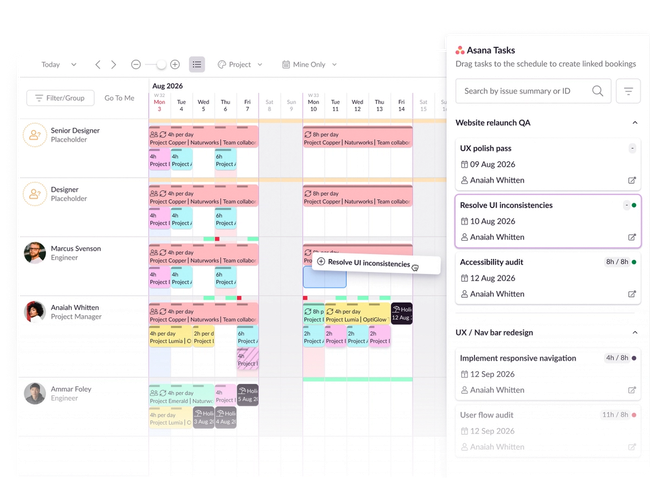
Schedule tasks with complete clarity
See how everyone’s workload stacks up across a hyper-clear schedule to know when Asana tasks can get ticked off.
Get alerted to scheduling clashes before they cause issues, scan for availability and capacity, and sort team members by skillset to assign the best person for the job.
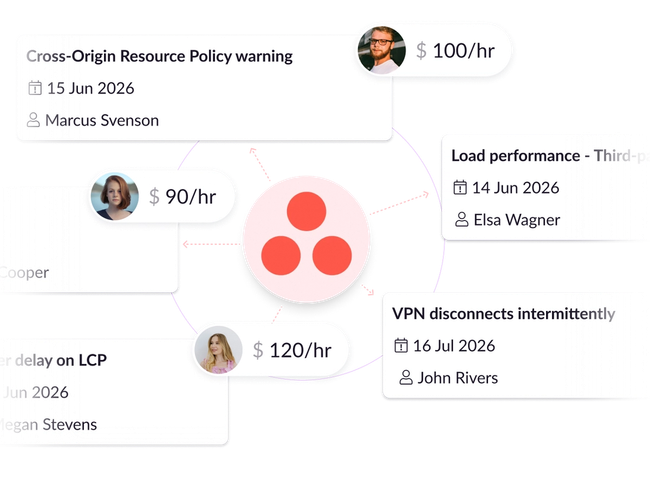
Monitor budget burn and project profitability
Assign hourly rates to people or roles so you can calculate the cost of individual Asana tasks—or entire projects—over time.
Plus, compare estimated vs. actual spend via dynamic reports to optimize your budget, and inform future planning decisions.
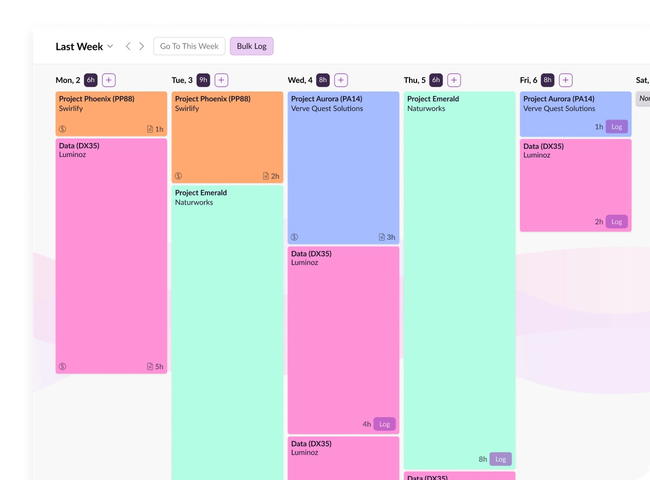
Track time seamlessly, make data-driven plans
Resource Guru timesheets are straightforward for teams to fill out, and managers to assess.
Once integrated with Asana, you can analyze which tasks and projects ran under or over expected hours spent. Use that data to plan more effectively in future, and optimize project outcomes.
Integrate Asana in four simple steps
1. Set up
From your Resource Guru settings, pick Asana from our integrations catalog
2. Authenticate
Grab your Asana account URL and confirm it on both systems
3. Configure and sync
Choose the projects you want to sync with Resource Guru via the Asana integration
4. Import
Once the sync’s set up, a list of Asana tasks will import to Resource Guru, so you can start scheduling
Get detailed instructions in our Help Center.
Keep every task on track
No credit card needed. Integrations available on all Resource Guru plans.
More about Resource Guru integrations




© Resource Guru 2026. All rights reserved.