

If you’ve ever looked at your team’s schedule and felt like crying, this one’s for you. We’ve heard from program managers who wanted to tear their hair out over spreadsheets, and just as often from teams using purpose-built project scheduling software that still isn’t cutting it.
Consider this article a remedy for both frustrations.
In this article 📖
Best project scheduling software in 2026: The short version
Looking for the best project schedule software? In 2026, there are so many options on the market that what makes any one of them the “best” depends on your use case.
Resource Guru is best for planning and scheduling around real team capacity. Teamwork.com is the best all-round option. monday.com suits highly customizable, collaborative workflows. Trello is best for simple project scheduling. And, Businessmap is best suited to portfolio-level scheduling.
In this article, you’ll find a detailed, honest breakdown of each of these tools based on:
- What users say about each tool
- How long you get to test them
- How much they cost
- What makes them unique
- What kind of organization they’re best suited for
I compared each tool by exploring the product through a free trial (where available), reviewing its product documentation, checking current pricing and trial information, and analyzing user feedback on third-party review platforms such as G2 and Capterra.
By comparing all of the above, you should get a good picture of the best option for your project scheduling needs. And, at the very least, a break from broken formulas in spreadsheets and month-long onboarding for project management behemoths.
Let’s check the options out.
2026’s best project scheduling software solutions
- Resource Guru: Best for planning and scheduling around real team capacity
- Teamwork.com: Best all-round project scheduling software
- monday.com: Best for collaborative project scheduling
- Hive: Best for small teams
- Ganttic: Best for visual resource planning
- Trello: Best for simple project scheduling
- Asana: Best general-purpose project scheduling software
- Businessmap: Best for multi-project portfolio scheduling
Best project scheduling software at a glance
Tool | Best for | G2 score | Trial period | Key differentiator | Price |
Resource Guru | Planning and scheduling around real availability and capacity | 4.6/5 | 30 days | Clash management and capacity visibility | From $5/user/month, billed annually |
Teamwork.com | Client projects and retainers with native invoicing | 4.4/5 | 30 days | Native invoicing and client work management | From $9.99/user/month, billed annually, 3-user minimum |
monday.com | Collaborative scheduling with multiple stakeholders | 4.7/5 | 14 days | Concurrent editing and customizable boards | From $9/seat/month, billed annually, 3-seat minimum |
Hive | Small-team project scheduling | 4.6/5 | 14 days | Email threads to tasks | From $5/user/month, billed annually |
Ganttic | Visual planning | 4/5 | 14 days | People, equipment, and facilities in one visual plan | From $25/month, up to 20 active “resources” |
Trello | Minimalist project scheduling | 4.4/5 | 14 days | Built-in automation bot | From $5/user/month, billed annually |
Asana | General-purpose scheduling with multiple views | 4.4/5 | 30 days | Reusable project templates | From $10.99/user/month, billed annually, 2-seat minimum |
Businessmap | Multi-project portfolio scheduling | 3.9/5 | 14 days | Automated portfolio performance analytics | From $185/month, billed annually, 15-seat minimum |
Pricing, trial information, and G2 ratings checked September 2026.
A note on our methodology: We make Resource Guru, so we’ve included our own software in this comparison. To keep the evaluation fair, we’ve assessed it using the same criteria as every other tool on the list and supported the comparison with product information and third-party user feedback.
What is project scheduling software?
Project scheduling software helps teams plan when work happens, who’s doing it, and how long each task should take.
Planning often tends to live in a Gantt chart, mapping out phases, tasks, and dependencies before work starts. Scheduling is what happens next: assigning that work to real people and dates, usually via a calendar or drag-and-drop schedule, so managers can catch clashes and capacity problems before they cause delays.
That said, “project scheduling software” isn’t one fixed thing. The eight project scheduling tools on this list show how wide the category actually stretches:
- Some stay narrow and focused. Ganttic centers its workflow on visual resource planning, while Trello keeps scheduling as simple as a board with dates attached.
- Some scale down for smaller setups. Hive is sized for small teams that don’t need enterprise-level complexity.
- Others scale up into broader collaboration or workstream management. monday.com adds real-time, multi-stakeholder editing, and Businessmap layers in forecasting across multiple workstreams.
- A few sit in the middle as flexible generalists. Teamwork.com and Asana both aim to cover most scheduling needs without specializing in one.
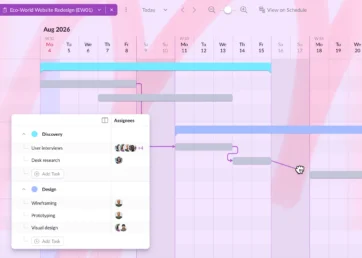
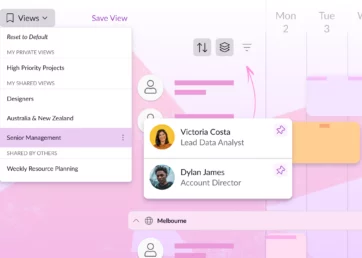
- And some bring the planning and scheduling sides of the category together in one tool. Resource Guru pairs Gantt charts for planning phases and milestones with its Schedule for booking that work against real people’s availability and capacity, so you’re not switching tools to go from the plan to who’s actually doing it.
So, the right project scheduling tools for your team depends partly on which end of that spectrum your needs align with.
1. Resource Guru: Best for planning and scheduling around real team capacity
Resource Guru: What users say about it
Resource Guru is rated 4.6/5 stars on G2. According to the commentary there, the biggest pros of choosing Resource Guru include ease of use, schedule management, and visibility.
The negatives users report reference features they’d like to see added to the product: team chat, a dedicated mobile app, and additional resource categories.
Resource Guru: How long you get to test it
At time of writing, Resource Guru gives you 30 days to test the software for project planning and scheduling. That trial includes access to all features.
Resource Guru: How much it costs
Resource Guru is available for as little as $5/user/month, billed annually. This tier includes core project scheduling capabilities. The Blackbelt plan, which starts at $8/user/month, includes additional helpful features such as Gantt charts and timesheets.
Resource Guru: What makes it unique
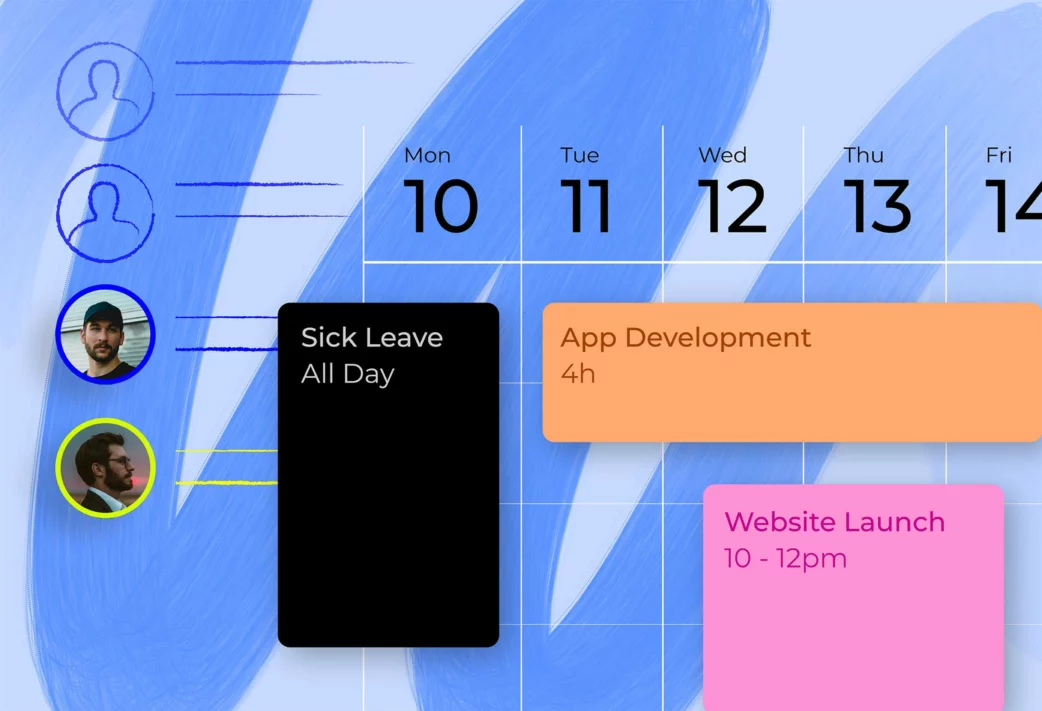
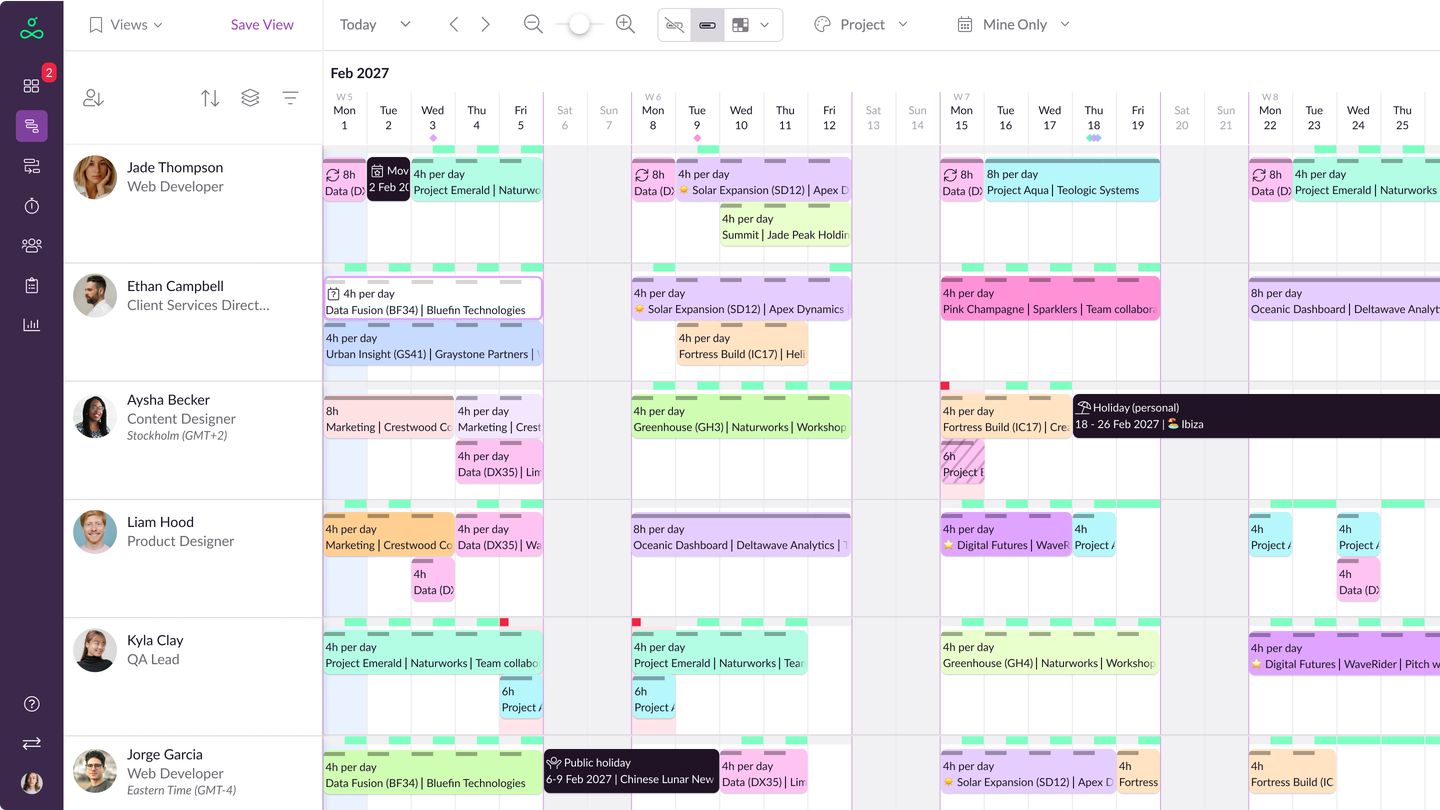
In short, Resource Guru stands out because availability, capacity, time off, and clash management sit directly inside the scheduling workflow. That gives managers a clearer way to prevent double-booking and overload before they create project delays or put extra pressure on budgets.
Resource Guru: What kind of organization it’s best suited for
There are five main industries that Resource Guru works best for: agencies, consultants, construction, engineering, and information technology. It can work for teams ranging from small businesses to enterprise organizations.
Resource Guru: Overall verdict
Resource Guru stands apart from the broader project management tools on this list because team availability and capacity are built directly into the scheduling workflow, rather than treated as secondary project views.
While most project scheduling tools are great for organizing work—they fall short of allocating work in a way that prevents overwork.
In other tools, it’s hard to see how people’s workloads are stacking up across multiple projects, so it increases the risk of people getting double-booked and timelines creeping as a result.
But, with Resource Guru, it’s simple to manage workloads across multiple projects. This ensures that you can cross the finish line for every project on the due date, and without your team members imploding before they get there.
Managers can easily see who is actually available at any given time and can monitor individual utilization rates, so people aren’t being booked when they’re too busy or out of the office. You can also connect Resource Guru to AI tools to ask your assistant anything about your projects, including who’s got space in their schedule, and who needs breathing room.
With Resource Guru, time off can be factored into project plans too. This means project managers won’t be caught off guard by someone being on vacation or taking maternity leave, for example. Plus, accompanied by timesheets that accurately reflect the schedule, it becomes easier to stay on top of project performance.
Teams using our project scheduler can regain balance in their day and prevent overload with a variety of features, including an advanced clash management system, smooth drag-and-drop, and Total Hours bookings that shift around to accommodate new work added to the schedule. All that means work remains flexible to prevent conflicts.
Here’s what one Resource Guru user had to say:

“What I appreciate most about Resource Guru is its straightforward and clear design. The intuitive interface allows me to quickly view team availability and schedule resources efficiently, avoiding any risk of overbooking. I also value how swiftly adjustments can be made—the platform is both flexible and responsive, which is perfect for a fast-paced work environment.”
Resource Guru Gantt charts make the software a great fit for teams looking to plan and schedule work in one place. Using them, you can switch from planning mode to scheduling mode in seconds, helping you check the feasibility of your plans against your team’s actual availability.
As well as robust task and planning features, Resource Guru also offers daily schedule breakdowns via email, equipment management, meeting room booking, and capacity planning tools. All of these features are designed with a human focus, to help teams do their best work, reduce employee turnover, and improve morale in the workplace.
In terms of integrations, Resource Guru syncs with a number of other popular apps, including key task managers like ClickUp and Jira.
2. Teamwork.com: Best all-round project scheduling software

Teamwork.com: What users say about it
Teamwork.com sits at 4.4/5 stars on G2. Reviews there praise its team collaboration and task tracking features. On the other hand, many users mention complexity and a steep learning curve as frustrations.
Teamwork.com: How long you get to test it
You get 30 days to test Teamwork.com and it suggests which plan is best for your organization’s needs as you sign up for the platform.
Teamwork.com: How much it costs
Teamwork.com plans start at $9.99/user/month, billed yearly. This plan doesn’t allow you to schedule people and resources by role or skill, though. If you need that functionality, you’ll need to opt for their Optimize plan, for which there is no listed price.
Teamwork.com: What makes it unique
Teamwork is one of the more comprehensive project scheduling tools on the list which is what makes it stand apart from many of the others.
Another interesting factor that makes Teamwork unique is their additional products that layer up from their project scheduling software. These include Spaces, their knowledge base software, Teamwork Chat that ties work conversations together, and Desk, their helpdesk solution.
Teamwork.com: What kind of organization it’s best suited for
Teamwork is best for organizations that work on retainer or who need in-built invoicing and financial management as they have dedicated features for both use cases.
Teamwork.com: Overall verdict
Teamwork started as a basic task management tool. But over the years, they’ve become a comprehensive project scheduling solution.
As their feature list is more extensive than the other products on our list, there’s a steeper learning curve. Teamwork can feel overwhelming if you’re new to project scheduling, or don’t have much tech experience.
Once you’re familiar with the layout, you can set up customized dashboards, track time and billable hours, zoom in and out on projects, and create project-level teams.
“The platform’s flexibility and customization features, from different project views to customizable templates, let me tailor it to my specific needs, making it an essential part of my process for improving collaboration and client transparency.”
Teamwork offers some comprehensive features like invoicing, billing, and team chat features which means you may not need to pay extra for separate tools like invoice software or Slack.
Teamwork is one of the more expensive project scheduling software options on our list. While there is a free plan, it only gives you access to very basic features.
Despite the drawbacks of a higher price point, Teamwork is still our top choice as the best all-round project scheduling software.
3. monday.com: Best for collaborative project scheduling
monday.com: What users say about it
monday.com gets rave reviews about collaboration (you’ll notice I got that impression too). Nearly 3,000 monday.com G2 reviews praise this aspect of their project scheduling tools. On the flip side, 1,000+ reviews say there’s a steep learning curve and nearly as many (822) say the software is unintuitive. They have a 4.7/5 star rating.
monday.com: How long you get to test it
Monday offers a 2-week free trial. That’s half the length of some of the other options in this round up. That may be worth factoring into your choice as, due to the number of features on offer, it might not be enough time to test out all the functionality.
monday.com: How much it costs
Monday pricing starts at $9/seat/month, billed annually. But, there’s a 3-seat minimum, so you should really consider the entry point to be at least $27/month.
monday.com: What makes it unique
In a word? “Customization” makes monday.com unique. You can build almost any kind of board you need for project scheduling. That said, when you have so many options available to you, it can get a bit overwhelming trying to figure out the best set up for your needs, especially if you’re starting from scratch.
And, not to repeat myself, but their collaboration features are next-level. You can tag teammates, leave notes, set deep permissions and more, making it a highly collaborative platform.
monday.com: What kind of organization it’s best suited for
Monday names media, retail, and government organizations as the best-fit user industries.
Resource Guru has a native monday.com integration, meaning you can make the most of both monday’s neat task management capabilities, and Resource Guru’s purpose-built software for project planning and scheduling.
monday.com: Overall verdict
Monday is a project scheduling tool that’s suitable for smaller teams right through to enterprise organizations.
With a focus on making team collaboration easier, it has a wide range of features that include Kanban boards, Gantt charts, time tracking, automations, integrations, centralized document storage, and plenty of customization options.
“What I like best about monday is how easy it makes communicating and collaborating with both my clients and team.”
On the downside, many users comment that there is a bit of a learning curve to work through while you figure out how to set up Monday’s dashboard for your use cases. The UI can sometimes make it tricky to find things in the menus and dropdowns, and many aspects of the dashboard could be further simplified.
Everyone in your team can work on the platform at the same time, and view each other’s tasks, which provides complete transparency for everyone around project progress.
However, as this is a collaboration tool you might need to purchase access for your whole team in order to get the most out of the tool’s features. This will mean you need to buy extra licenses. And, depending on your team size, the cost might be a prohibitive factor in your buying decision.
The cost versus functionality of Monday’s software makes it less of a good choice for smaller teams, as most of the features are only available on the enterprise levels of this project management tool.
4. Hive – Best for small teams
Hive: What users say about it
Over on G2, Hive (with 4.6/5 stars) is praised for its ease of use, but this comes with a tradeoff. The more negative reviews say that the usability of Hive comes at the cost of additional features its users would find helpful like calendar sync and deeper customization.
Hive: How long you get to test it
Hive offers a 14-day free trial to let you get a feel for the extent of their features.
Hive: How much it costs
Hive ties for the most affordable project scheduling software in this roundup at just $5/user/month, billed annually (it’s $7/user/month if you pay monthly.)
Hive: What makes it unique
Hive offers a way to connect company conversations to upcoming work. Its project scheduling software creates tasks from email threads, and creates project plans from briefs once they’re connected to the platform.
Hive: What kind of organization it’s best suited for
Hive is best suited for small teams who value streamlined project scheduler software and run a small number of concurrent projects.
Hive: Overall verdict
If you’re specifically looking for a solution for a smaller team, Hive is a solid option to consider. Users comment that it’s especially friendly for people that haven’t used a project scheduling tool before.
“We love that Hive has a user friendly interface. We went ahead with this tool out of all the project management tools as it was the easiest for our senior management to understand and work on. We are a small team and it has been a perfect fit.”
Positioning itself as a “democratic project management platform” Hive builds and iterates based on user feedback, with a view to continually improve the way teams work. If you’re a Hive customer, you can submit and vote on any changes that you think would make it better.
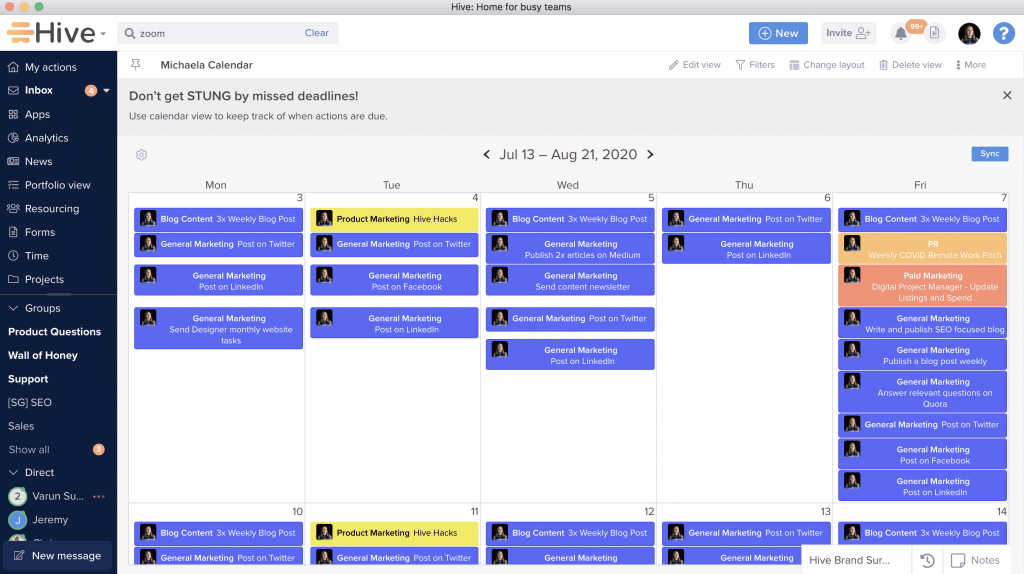
Hive offers a customizable dashboard for individuals, rather than everyone having to use the same global layout. This means every team member can work the way they want, with either Gantt, Kanban, table, calendar, team or summary views of their projects.
Hive syncs with popular apps including Slack, Salesforce, HubSpot, Dropbox and FreshBooks too. Your teams can bring everything into the central dashboard instead of switching between multiple different tools.
5. Ganttic – Best for visual resource planning
Ganttic: What users say about it
Ganttic users writing on G2 praise the software for how easy it is to see team members’ progress against projects and where there are conflicts. Overall, they’ve got a 4/5 star rating. However, for teams managing multiple projects, reviewers say the display can get very busy which makes it hard to stay organized.
Ganttic: How long you get to test it
Ganttic offers a 14-day free trial with full access to all features, unlimited resources, and multiple users.
Ganttic: How much it costs
Ganttic pricing starts at $25/month which gives the ability to plan around 20 active “resources.”
Ganttic: What makes it unique
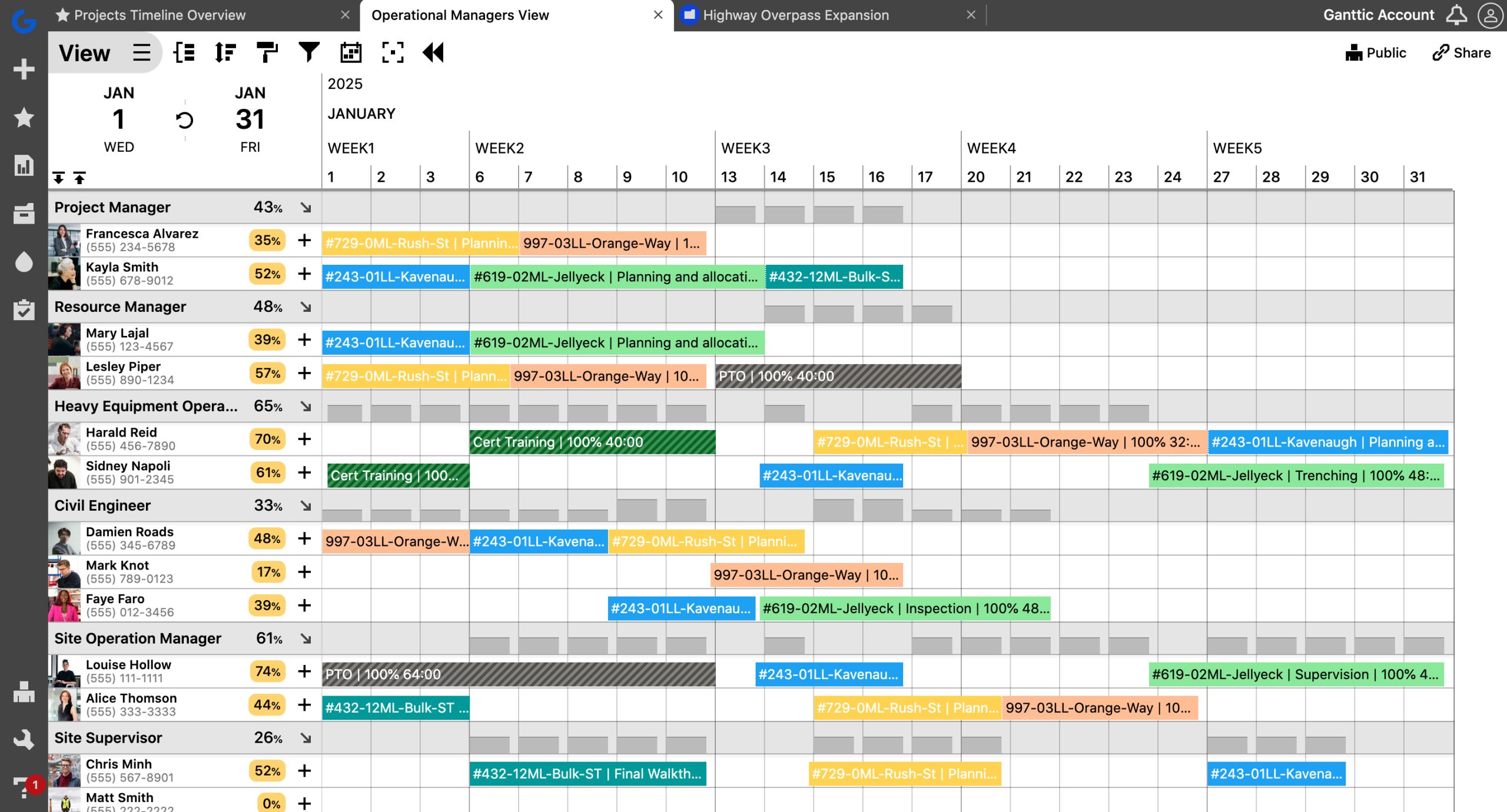
If you’re looking for resource planning built around a strong visual timeline, Ganttic is a standout. Its Gantt-style planner gives teams a detailed way to coordinate people, equipment, and other resources across projects.
Ganttic: What kind of organization it’s best suited for
Organizations who want to plan projects where both people and equipment need to be taken into account are a good fit for Ganttic. Think engineering, construction, and environmental and field operations.
Ganttic: Overall verdict
If Gantt-style planning is your preferred way to work, Ganttic should be on your list of project schedulers to investigate. Its visual resource-planning view is where the product is strongest.
Ganttic allows teams to get a view of all projects at a glance, and then zoom in to manage specific tasks in detail.
“Ganttic shows me a graphical view of the team members, when they are on each project, and where there are conflicts. At a glance I know where everyone is.”
The handy drag-and-drop feature makes it simple to allocate tasks across different projects and adjust them when there’s a conflict. If you don’t like the Gantt layout so much, you can switch your point of view in the dashboard to Kanban boards, reports, charts, or lists.
Ganttic does allow you to schedule team members, tools, equipment, and facilities simultaneously, and generate performance reports to measure efficiency. However, the scheduling side isn’t as fully featured as their planning side, making it a better fit if you’re looking for a more specialized solution.
6. Trello – Best for simple project scheduling

Trello: What users say about it
Trello is best thought of as a task manager with project scheduling as an added bonus through power ups and integrations. That said, that’s what users love about it. Thousands of reviews flag the simplicity of Trello as its main strength. Trello stands at 4.4/5 stars on G2. Conversely, teams say Trello lacks customization options that would make it even more valuable.
Further reading: Learn how to integrate Resource Guru and Trello to get the best of both worlds.
Trello: How long you get to test it
Trello gives you two weeks to try it out. While not the most generous time frame on this list, it’s more than enough to find your way around Trello and see how the features suit your team.
Trello: How much it costs
Trello is another project scheduling software solution that offers a reasonable pricing point for those getting started. Prices start from just $5/user/month, billed annually ($6/user/month if you pay monthly).
Trello: What makes it unique
Trello gives you lots of ways to make it your own including several integrations and Power Ups that let you extend its functionality. It also includes an automation bot that can take actions on your behalf to speed up your workflows.
Trello: What kind of organization it’s best suited for
If you’re looking for an easy way to track project tasks and simple project scheduling, Trello is a great choice. Typically, small teams just getting started with these processes are the best fit for Trello.
Trello: Overall verdict
Trello is a very popular piece of project management and scheduling software. It’s got over 14,000(!) reviews at time of writing, for example. Its user-friendly Kanban layout makes it really easy to get started. You can set up and share boards, lists, and cards in minutes, even if you’re not a tech whizz.
“Trello is one of the easiest project management tools I’ve used. Its drag-and-drop Kanban boards make it simple to organize tasks, set priorities, and track progress at a glance.”
This software is ideal for teams with simple, repetitive tasks that need to streamline their project management. It’s not as robust as Teamwork or Hive and is lacking a lot of the functionality and reporting tools that help project managers track efficiency and performance on lower tiers.
Trello also doesn’t have the same variety of point-of-view options as other project schedulers. Only the Kanban view is available to users on the lowest tier plan. You also can’t get a high-level overview of how task delays might affect other timelines and projects. So, if your team needs more elaborate project management features, Trello might not be a good fit.
If you need to scale, or have a larger team that needs to manage multiple complex projects, the higher tiers offer more customization and collaboration features, plus enhanced controls, support, and security. There’s also an option to contact their sales team for a customized pricing plan.
7. Asana – Best general-purpose project scheduling software
Asana: What users say about it
Asana’s listed among the best software for project scheduling here because it’s a powerhouse. Users on G2 say it’s one of the best tools on the market for task management. It has a 4.4/5 star rating.
However, like the other mega tools on this list like monday.com many users say it’s a steep ramp to get onboarded and requires intense time investment to make it worth it for your organization.
Further reading: Connect Asana with Resource Guru to see your tasks alongside your team’s true capacity.
Asana: How long you get to test it
Asana gives you a full month to test the platform and all of its features, giving you plenty of time to test out how it can work for your team.
Asana: How much it costs
Asana prices start from $10.99/user/month, billed annually, with a 2-seat minimum. That makes it one of the pricier options on the list, but may fit into the budget for larger teams with complex needs.
Asana: What makes it unique
Asana lets you set up templates for your projects. If a lot of your projects are similar, this can be a great shortcut to getting up and running as new work comes in.
Asana: What kind of organization it’s best suited for
Asana lists government, healthcare, retail, financial services, education, and manufacturing as the best-fit industries for its project scheduling software.
Asana: Overall verdict
Asana is one of the most popular project scheduling tools and is probably the most similar to Teamwork in terms of features.
It’s a solid generalist solution, covering all your bases for project planning, task assignment, tracking, and collaboration in a simple, beautifully designed dashboard. Users especially love the flexible setup and scheduling features in the dashboard.
“The possibilities with Asana are endless, which is great for a project manager. I love the templates to help provide a starting point for creating a project.”
Teams can visualize their workloads and projects with Kanban layouts, lists, or timeline views, and set up basic automations. Plus, it’s easy to drag and drop elements to move tasks and bookings around.
Asana’s free tier is fairly limited these days — it’s capped at 2 users, though it still includes unlimited tasks and projects, list, board, and calendar views, and access to integrations. For anything beyond a two-person team, you’ll need to move to a paid plan.
Top tier plans cost $30+ per user, per month which makes it slightly more expensive than Teamwork when billed monthly, and much more expensive than tools like Resource Guru or Trello.
8. Businessmap – Best for multi-project portfolio scheduling
Businessmap: What users say about it
Businessmap has a 3.9/5 rating on G2. Reviews praise its Kanban-style project planning, while some users mention a steep learning curve when customizing the product to their needs. There are also complaints about how confusing the UI can become as the number of projects scales.
Businessmap: How long you get to test it
Businessmap offers a 14-day free trial with full feature access, so you don’t need to commit before trying it out. They also have a large bank of tailored demos if you’d prefer a guided walkthrough first, and speaking with one of their experts can help you land on the right plan.
Businessmap: How much it costs
Given that Businessmap is an enterprise-specific PPM solution with project scheduling software built into it, it’s logical that it would be more expensive as it’s a more robust solution than some on this list. However, it’s a steep jump from the others, with prices starting at $185/month for the mandatory minimum of 15 seats.
Businessmap: What makes it unique
Businessmap’s AI-powered performance analysis tool crunches the numbers for you across your project portfolio.
Businessmap: And what kind of organization it’s best suited for
Businessmap serves mechanical engineering, oil and gas, pharmaceutical, and banking teams.
Businessmap: Overall verdict
Businessmap is one of the best scheduling tools for project management if your organization needs to plan, coordinate, and track work across multiple teams and portfolios while aligning day-to-day execution with strategic goals.
“We specifically like the ability to easily connect multiple boards and put all our projects on display so we can track their progress. The tool gathers historical data which we can analyze in their Analytics module and find inefficiencies in our process.”
It’s particularly well suited to companies running many projects in parallel, where dependencies, capacity constraints, and shifting priorities can quickly become difficult to manage. Rather than treating projects as isolated units, Businessmap provides a connected system for work across teams, portfolios, and value streams.
Unlike some other scheduling tools, Businessmap emphasizes how work moves through the organization. It offers strong portfolio management capabilities, allowing leaders to connect strategic goals to team-level execution within a single system.
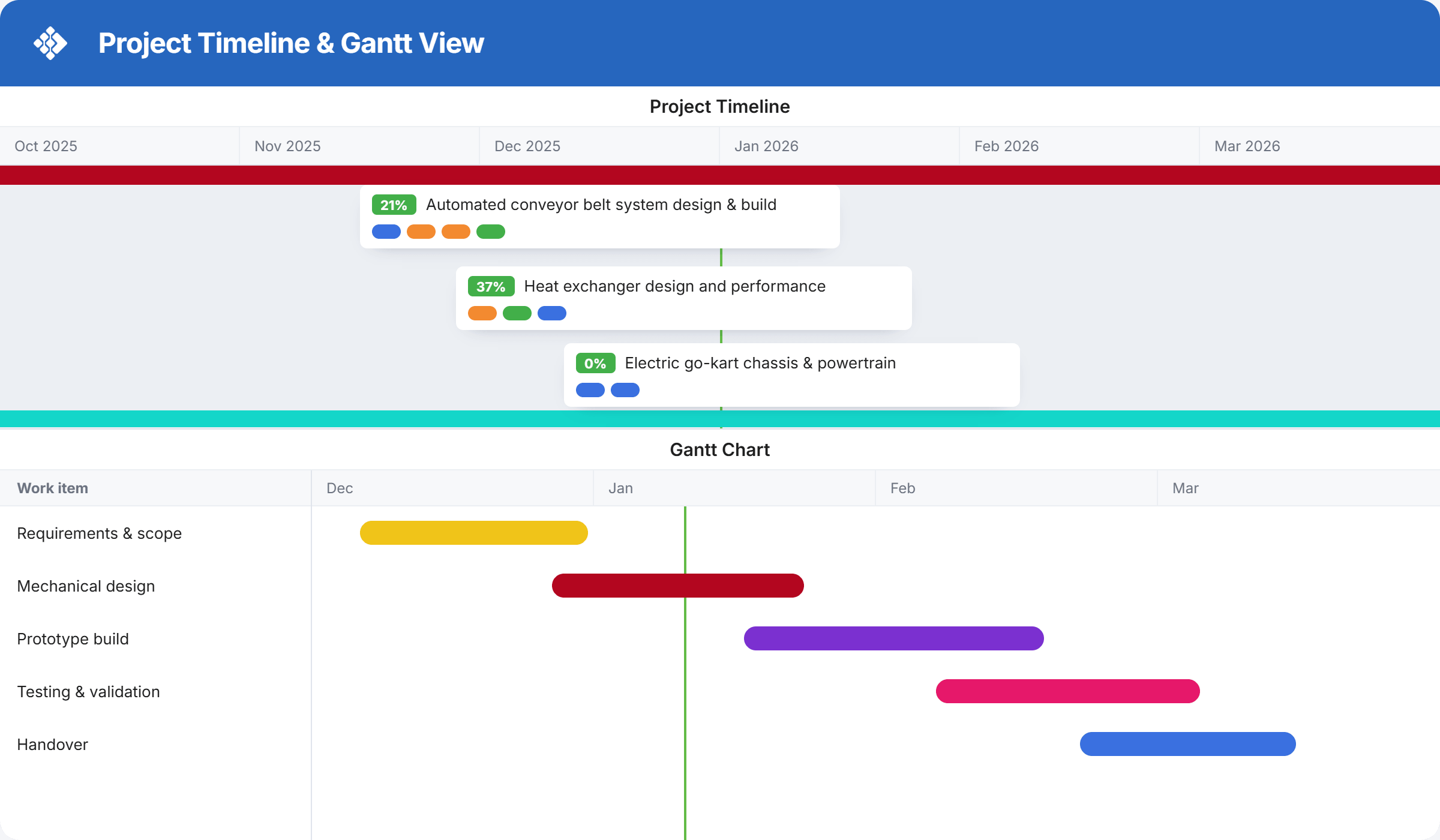
Initiatives can be visualized across teams using portfolio boards, while custom dashboards make it easy to monitor progress without relying on manual status updates.
Teams manage projects using interconnected Kanban boards and workspaces, with flexible workflows that help avoid overload and support flow-based delivery. Built-in flow metrics and charts make it easier to identify bottlenecks and improve delivery predictability over time.
The platform supports multiple ways of working, including Kanban, Scrum, and hybrid setups. Teams can customize workflows to match their processes, while still staying aligned with organization-wide priorities.
On the downside, Businessmap has a steeper learning curve than simple task or scheduling tools. New users may need time to understand how boards, workflows, and hierarchies fit together – especially if they’re new to flow-based or Lean practices.
Because of its depth and focus on scale, Businessmap may be more than smaller teams need. Teams looking for a quick, lightweight scheduling or task-tracking tool may find simpler alternatives easier to adopt.
Overall, Businessmap is a strong choice for organizations that need visibility, alignment, and predictability at scale, rather than just basic project scheduling features.
Project scheduling software FAQs
What’s the difference between project scheduling and project management software?
Scheduling software focuses narrowly on timelines, dependencies, and resource availability. Project management software is the broader category—it adds budgeting, reporting, and team collaboration on top.
Is there free project scheduling software?
Some tools on this list (Trello, Asana) offer usable free tiers, but they cap users or projects, and resource scheduling features are typically paid-only.
What’s the most common way to present a project schedule/plan?
Gantt charts are one of the most common ways to present project schedules. They show tasks, durations, and dependencies on a timeline, making it easier to see how work fits together at a glance.
What’s the best project scheduling software for a small team?
Depends on complexity. Trello or Hive for simple workflows, Resource Guru if resource/workload visibility matters most.
Do I need full project management software, or just a scheduling tool?
If you need native invoicing, or portfolio-level project management, go broader. If your main pain point is timelines and who’s available when, a dedicated scheduling tool is lighter and faster to roll out.
How does project scheduling software prevent double-booking or overallocation?
People- and resource-aware project scheduling tools can show workloads across projects and flag when someone is booked beyond their capacity, allowing managers to rebalance work before it affects deadlines or creates sustained overload.
Which project scheduling software is right for you?
It can be overwhelming trying to pin down the exact project scheduling software that’s right for your organization so you don’t waste time and money testing and switching tools.
All of the project schedulers in our list can manage the basics of project and task planning, but the granular details of their features and pricing are what you need to assess before you take out your credit card.
If you’re a small team looking for a simple project planning tool with scheduling options, Trello is probably the best choice, or Hive if you want a bit more structure without the learning curve. If you need a robust all-round tool and you don’t mind a steeper learning curve and higher costs, we recommend Teamwork.
If collaboration across lots of stakeholders is your priority, monday.com is built for that, and if your team needs to schedule equipment or facilities alongside people, Ganttic’s visual planner is the better fit.
Asana is worth a look if you want a generalist tool with plenty of room to grow into more complex workflows, and Businessmap makes sense once you’re coordinating multiple projects or portfolios at once, rather than just one team’s schedule.
And if your focus is smooth scheduling paired with accurate planning—and a healthy, productive workday for your team members—then Resource Guru should be top of your list.
Try it here:

Plan with Gantt charts. Deliver with smart scheduling.
Join thousands of managers using Resource Guru to plan projects and schedule people in one place.
Last updated: 15th September 2026