

Trello is a simple way to keep projects moving. Boards, lists, and cards are handy ways to track tasks, organize requests, and see what’s coming up. But, when you’re trying to understand who has time, who’s overloaded, and whether your plan is realistic, tasks alone fall short. At that point, it’s time to connect to Resource Guru.
In this article 📖
TL;DR
Bring Trello cards into Resource Guru, then schedule them against real availability and capacity to assign work, without overbooking.
How the Trello x Resource Guru integration works
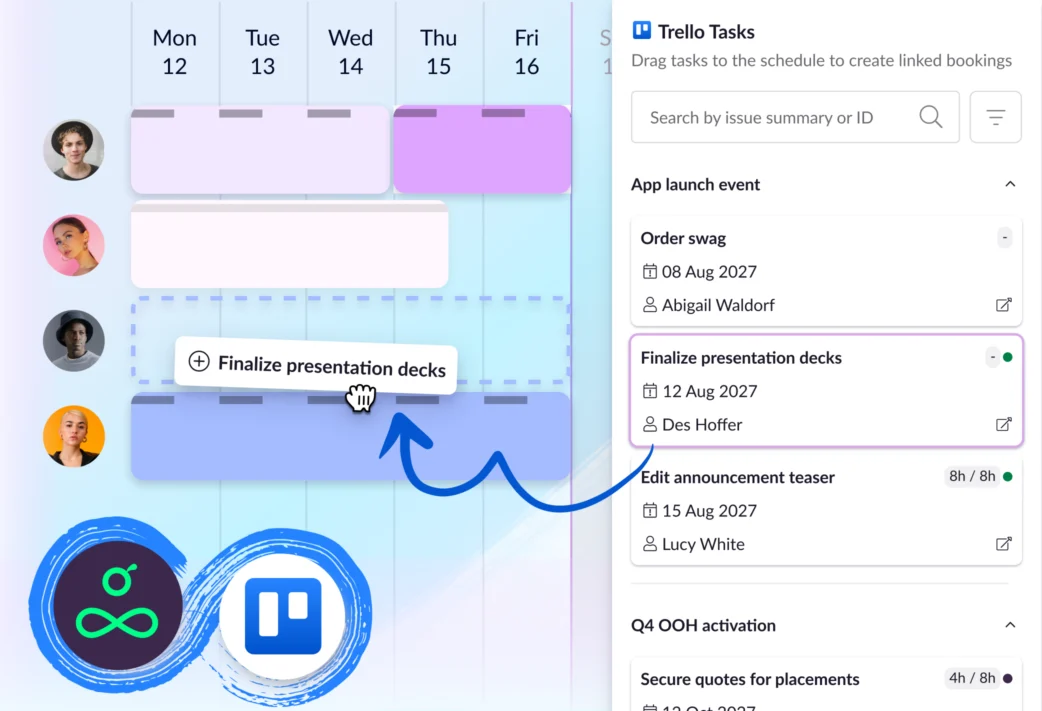
Once the integration is connected, Trello cards are pulled into Resource Guru through a one-way sync. Trello remains the place where your team tracks tasks that need to be addressed, Resource Guru becomes the place where those tasks are matched to people’s time.
Here’s the flow:
- Create and manage cards in Trello
- Connect the Trello boards you want to schedule from
- See synced cards in Resource Guru
- Drag the info from the card onto the schedule to create a booking
- Assign the work to the right person based on availability, skills, and capacity
That gives you a clean path from “this needs doing” to “this is booked with the right person at the right time.”
→ Get detailed setup instructions in our Help Center
Why teams connect Trello and Resource Guru
Move from cards to scheduled work
Trello is built around tasks. A card can hold useful context, checklists, due dates, attachments, and comments. But a due date isn’t the same as scheduled work.
You can’t use cards to understand whether the right person has enough time to do the work, or what else they’re already booked on.
That gap shows up in Trello reviews on G2. One reviewer described Trello as useful for “basic organizational needs,” but said it’s “not so much” for more complex projects. Another said Trello was easy for “small tasks or sprints,” but became clunky when managing a more intensive product from scratch.
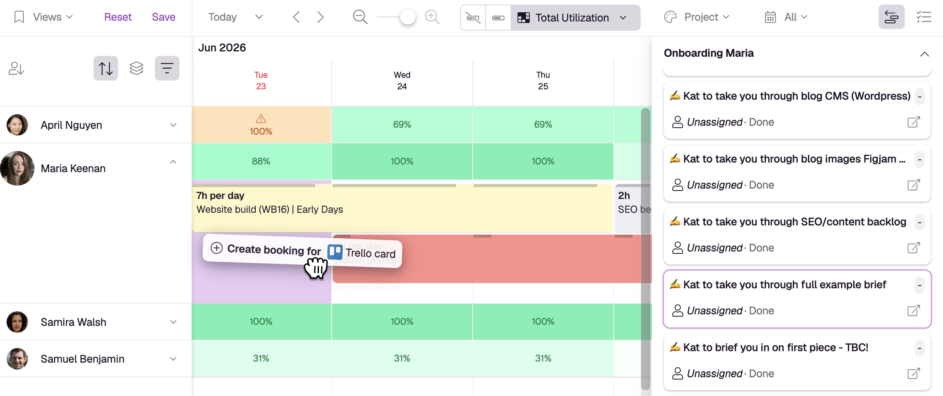
By connecting Trello cards with Resource Guru, you can turn them into real bookings on a shared resource schedule. That makes it easier to see when work will happen, who’s doing it, and whether the plan fits the team’s capacity.
Spot clashes before they become a problem
Overbooking is easy to miss when work is spread across cards and boards, with no centralized way to see the full picture. A task might sit quietly on a card until it becomes urgent, even though nobody had time reserved for it. Resource Guru helps you catch those issues.
Resource Guru’s clash management engine flags conflicts and heatmaps give you a heads up on overload so you can adjust before the plan puts too much pressure on any one person.
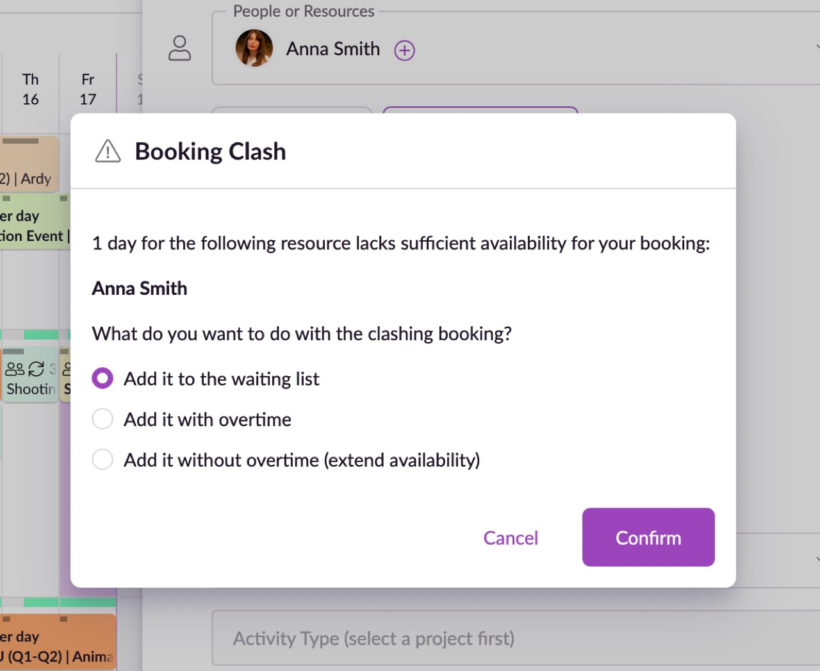
This is where a dedicated resource schedule matters. Trello can help teams organize tasks, but reviews on G2 mention confusion, clunky workflows, and difficulty using boards successfully for project management.
Resource Guru keeps the scheduling work focused: who’s available, who’s booked, who’s overloaded, and what work needs to move.
Get resource-focused reporting
Trello helps teams track tasks. Resource Guru helps teams understand people’s time.
That distinction is key when you need to answer questions like:
- Who has availability next week?
- Which teams are running hot?
- Where are we over capacity?
- How much scheduled time is billable?
- Are we booking too much overtime?
Resource Guru reports focus on utilization, availability, overtime, and billable time. So instead of piecing together capacity from task activity, you can report on the schedule itself.
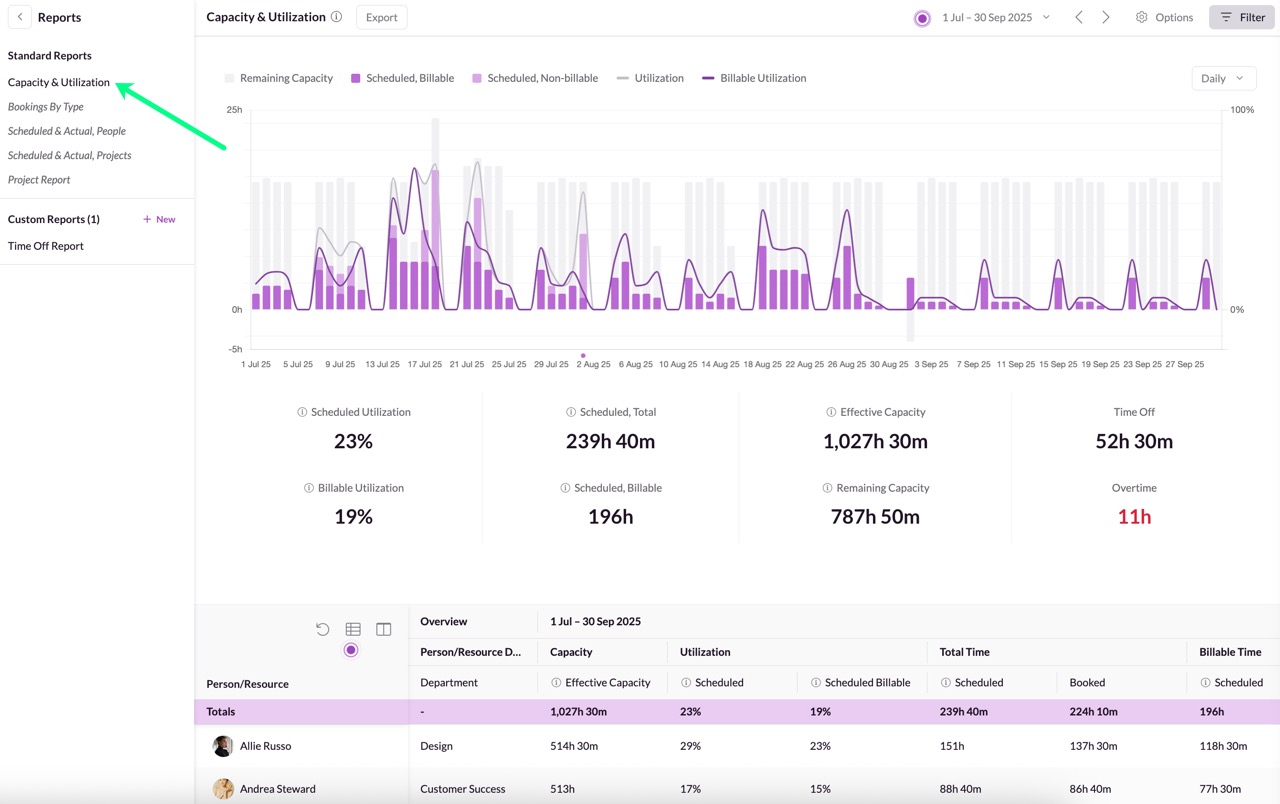
That gives managers a clearer way to plan future work and protect the team from overload.
💡 Did you know?
You can also plan and schedule projects directly in Resource Guru using Gantt charts.
So, if Trello is your team’s favorite place to manage cards, you can keep it. But, if you want project timelines and resource scheduling in one place, Resource Guru can support that workflow too.
Get started with the Trello integration
All Resource Guru integrations are available on all Resource Guru plans.
If you’re already a customer, head to the Settings menu in your account to connect Trello. If you’re new to Resource Guru, you can try the integration as part of a free trial.

Plan with Gantt charts. Deliver with smart scheduling.
Join thousands of managers using Resource Guru to plan projects and schedule people in one place.
See what’s next for Resource Guru
This integration gives teams another way to connect everyday task tracking with clearer resource scheduling.
To stay in the loop with upcoming releases, visit our product portal:
Explore our product portal to see what’s planned next and what we’ve already added. Vote on which features are most important to you and submit new ideas to have your say!What’s next for Resource Guru?