

ClickUp is a flexible work management platform. Teams use it to organize projects, track tasks, manage docs, and keep work moving. But, when you need to start scheduling that work, ClickUp can start to feel too broad for the focus you need. That’s where Resource Guru fits in.
In this article 📖
TL;DR
Sync ClickUp tasks with Resource Guru, then schedule them against real availability and capacity.
How the ClickUp x Resource Guru integration works
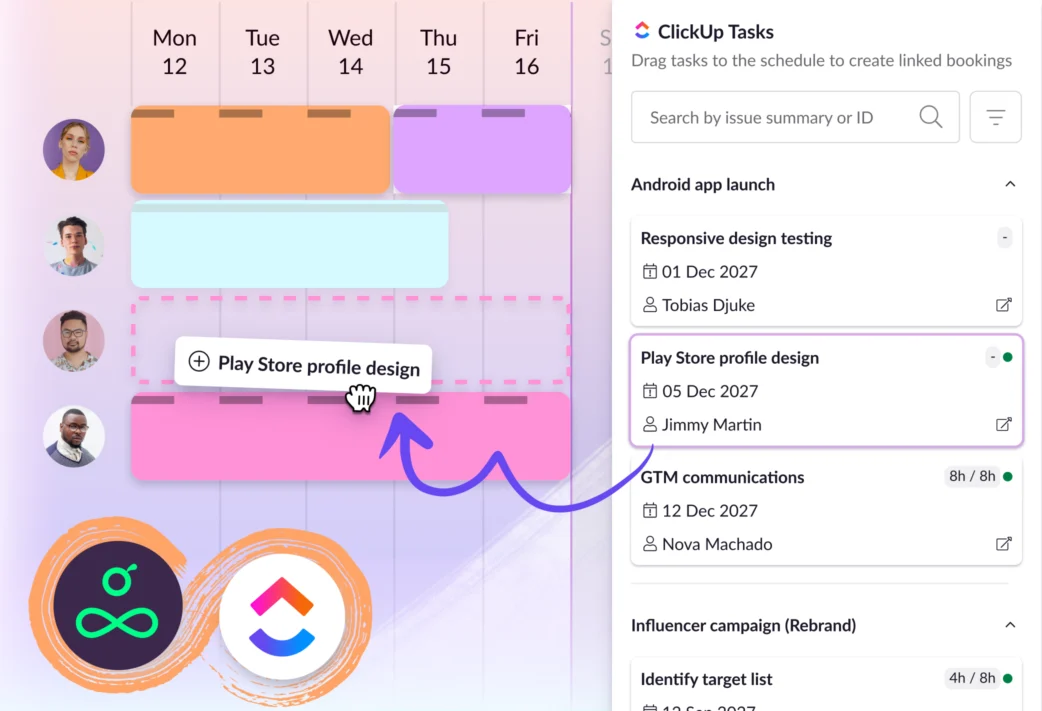
Once the integration’s set up, ClickUp tasks flow into Resource Guru through a one-way sync.
That means ClickUp stays focused on task management, while Resource Guru handles the scheduling layer.
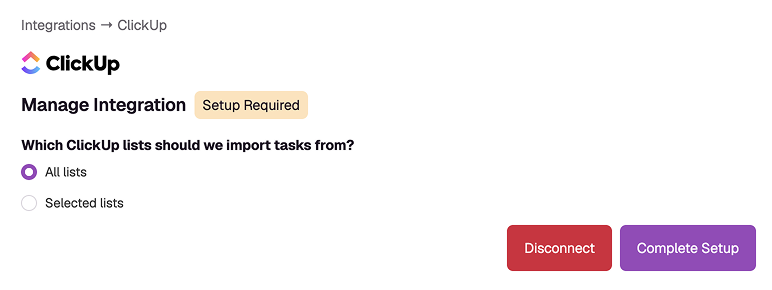
Here’s the workflow:
- Create and manage tasks in ClickUp
- Sync the lists you want to schedule with Resource Guru
- See those tasks in a dedicated sidebar beside your schedule
- Drag a task onto the schedule to create a booking
- Assign it to the right person based on availability, skills, and capacity
→ Get detailed setup instructions in our Help Center
Why teams connect ClickUp and Resource Guru
Streamline scheduling with a dedicated space for it
ClickUp gives teams a lot of ways to organize work. That flexibility is useful, especially when different teams have different processes.
But, resource scheduling needs focus. You need to know who’s available, who’s already booked, where work overlaps, and what’ll happen if a new task gets added at the last minute.
In ClickUp reviews on G2, some users describe the product as “fundamentally overwhelming” for their use case. One reviewer in particular pointed out that ClickUp has “an overwhelming number of options” for a typical creative services agency.
Resource Guru makes it easier to spot gaps, move work around, and build a schedule that reflects a workload your team can realistically get done.
Schedule based on real availability
A task list tells you what needs to happen, but it doesn’t always tell you whether the team has space to take it on. Compared to ClickUp, Resource Guru adds that missing context.
When ClickUp tasks appear in Resource Guru, you can schedule them against:
That helps you assign work with confidence.
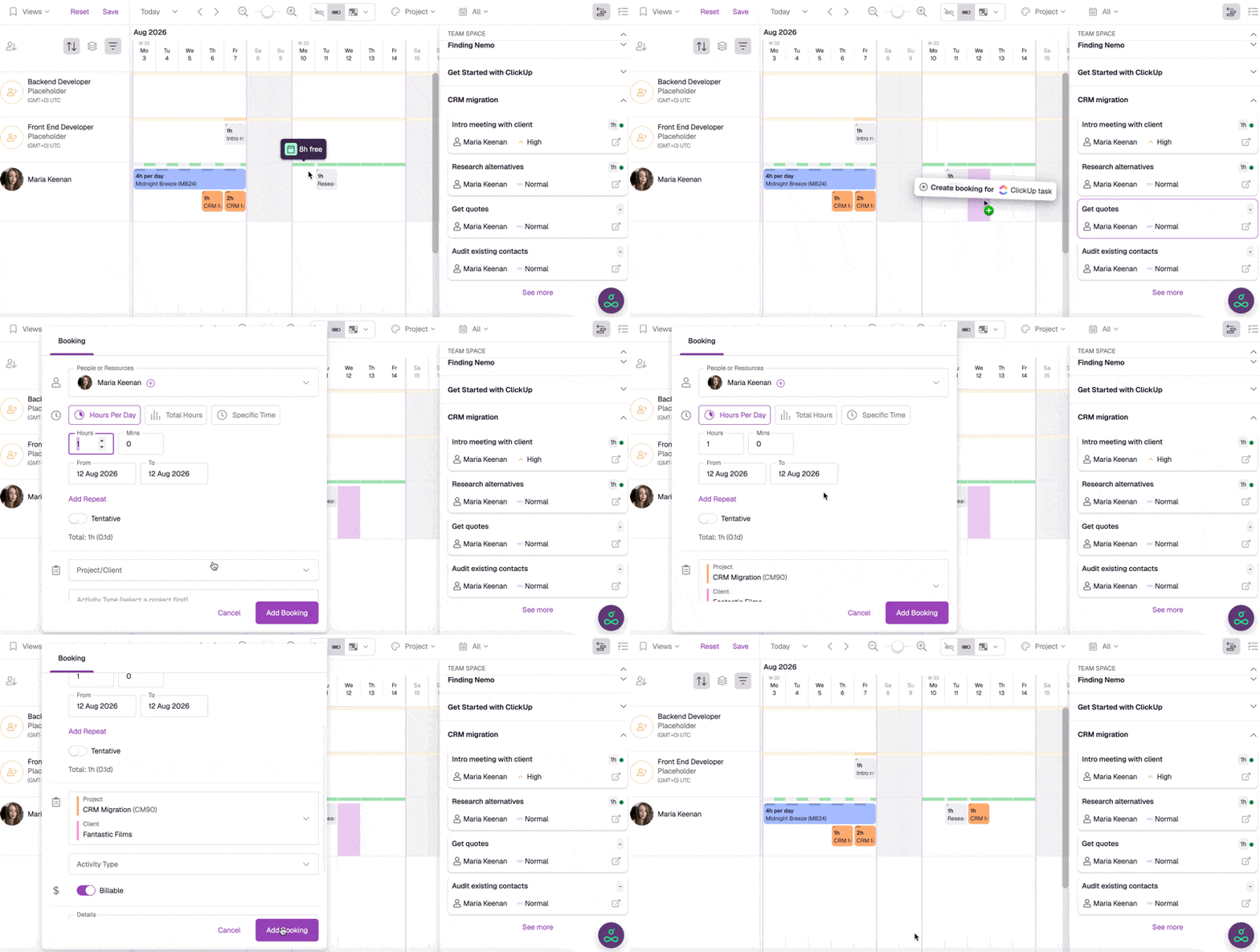
If someone’s already fully booked, Resource Guru makes that visible before new responsibilities land on their calendar. If there’s a clash, you catch it immediately so you can adjust the plan, or reassign the work.
One reviewer said they had difficulty seeing all assigned tasks on their ClickUp home screen, while another said they could “never find what I need when I need it” because of confusing pages, views, and dashboards.
Resource Guru simplifies those steps, without sacrificing any of the important details.
Reduce setup complexity
ClickUp can do a lot. For some teams, that’s the point. But, if your main need is resource scheduling, a broad work-management platform can add more setup and maintenance overhead than you want.
That pattern shows up in ClickUp reviews on G2, where one reviewer said the onboarding and setup process “felt like overkill.” Another said the product seemed better suited to larger organizations with the time and experts to set it up.
Resource Guru gives teams one shared resource calendar where bookings, availability, time off, and workloads sit together. In other words, Resource Guru is built around the scheduling workflow from the start.
💡 Did you know?
You can also plan and schedule projects directly in Resource Guru using Gantt charts.
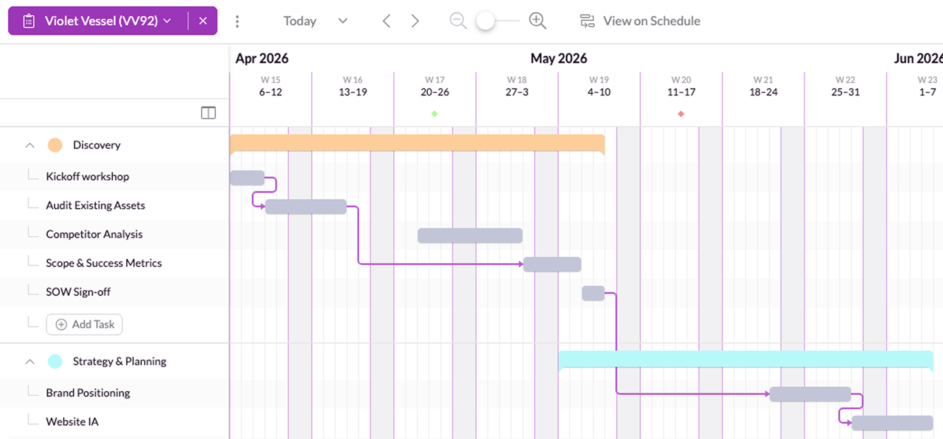
With them, you can:
- Map out project timelines
- Schedule people and resources
- Track availability and utilization
- Spot clashes before they become a problem and
- Adjust bookings as plans change
So whether ClickUp stays your main work-management hub, or Resource Guru becomes the place where planning and scheduling come together, both options are open to you.
Get started with the ClickUp integration
All Resource Guru integrations are available on all Resource Guru plans.
If you’re already a customer, head to the Settings menu in your account to connect ClickUp. If you’re new to Resource Guru, you can try the integration as part of a free trial.

Plan with Gantt charts. Deliver with smart scheduling.
Join thousands of managers using Resource Guru to plan projects and schedule people in one place.
See what’s next for Resource Guru
This ClickUp integration gives teams another way to connect the tools they already use with the scheduling clarity they need.
To stay in the loop with upcoming releases, visit our product portal:
Explore our product portal to see what’s planned next and what we’ve already added. Vote on which features are most important to you and submit new ideas to have your say!What’s next for Resource Guru?