

Most tools separate planning from scheduling, often resulting in unclear roadmaps, unreliable timelines, and delayed delivery. This release cuts out all that friction.
Now, you get all the benefits of Gantt chart software combined with clear, flexible scheduling—all in Resource Guru. Read on for an overview of the new functionality, and a breakdown of the benefits.
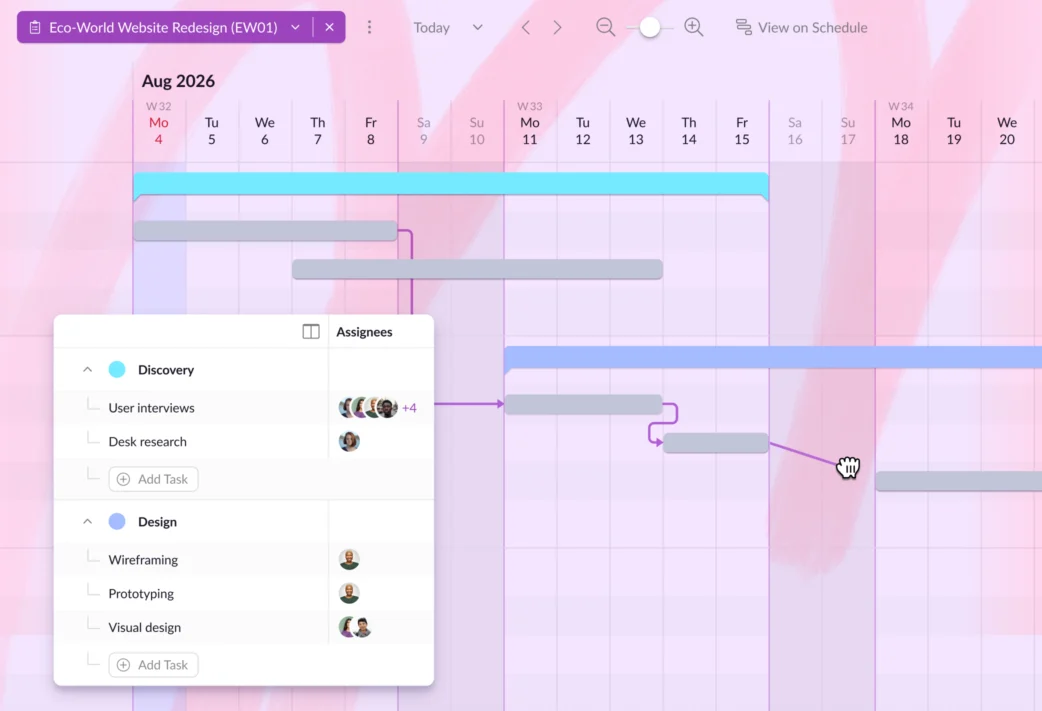
Here are some of the key components that make these Gantt charts a powerful tool in your project planning process:
- Project phases let you break the project into clear stages, giving you a high-level view of progress. This makes it easier to organize work logically from start to finish
- Project tasks break each phase into actionable pieces of work so you can clarify responsibilities, and ensure everyone knows what needs to get done
- Dependencies connect related tasks, showing which work must be completed before the next step can begin. This helps prevent bottlenecks, reduce delays, and keep projects moving
- Drag and drop functionality makes the whole plan extremely flexible, letting you reshuffle tasks, move entire phases while keeping the associated tasks in line, and extend and contract tasks and phases with ease.
In this article 📖
How Gantt charts bring better structure to your planning
Gantt charts bring structure to your projects and visibility to the workload. Combined with the smart scheduling that’s synonymous with Resource Guru, here’s what that looks like in practice:
Get clarity over complex plans
You’ve probably heard the phrase “best laid plans often go awry.” When this happens in project management, the cause is usually a disconnect between the amount of work involved, and the capacity the team has to complete it on time.
By using Gantt charts to visualize the scope of the project, you can confidently map out all the work that’s needed to get a project over the line.
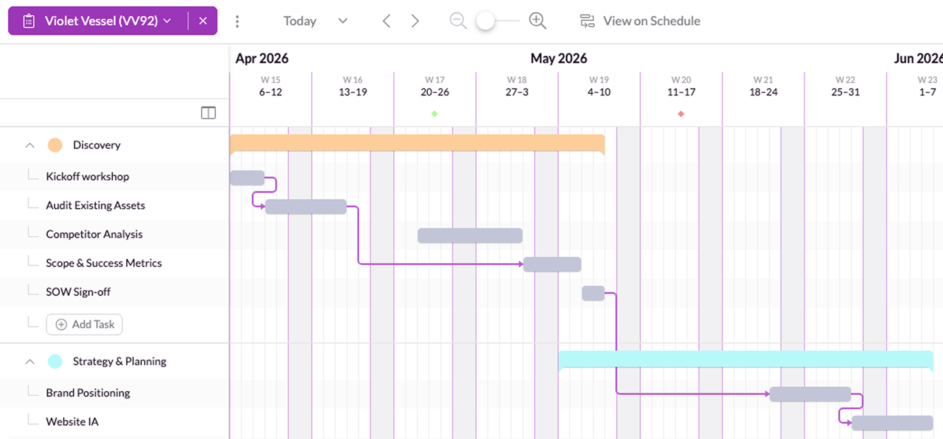
With that visibility, you can set realistic deadlines and expectations, and it’s all made even easier with the ability to view the timeline on the schedule in Resource Guru.
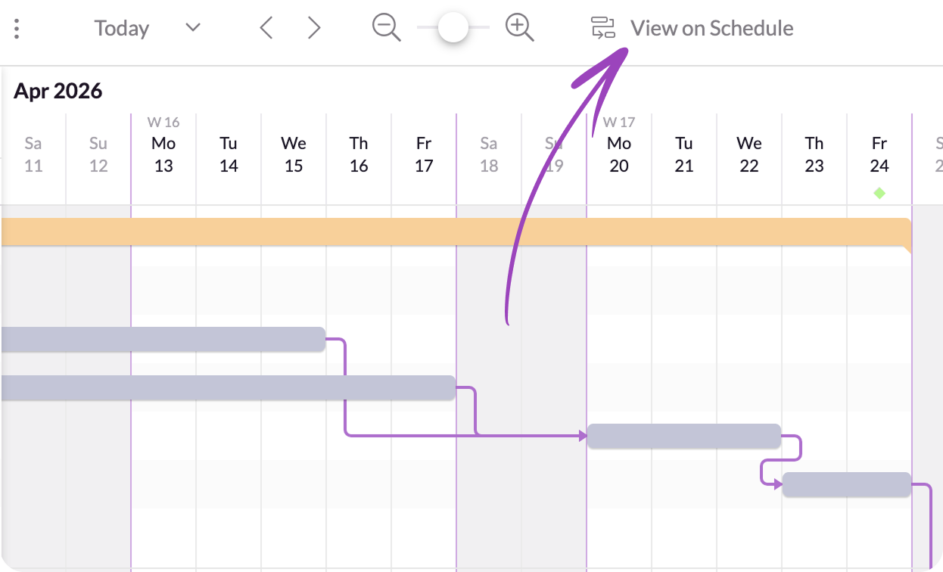
Make flexible adjustments to avoid delays
A project plan quickly becomes a useless artefact if it’s not kept up to date as the project progresses. Every project comes with unknowns before it kicks off, and unexpected obstacles as it progresses.
To give yourself the best chance of project success, you need to be able to roll with those punches.
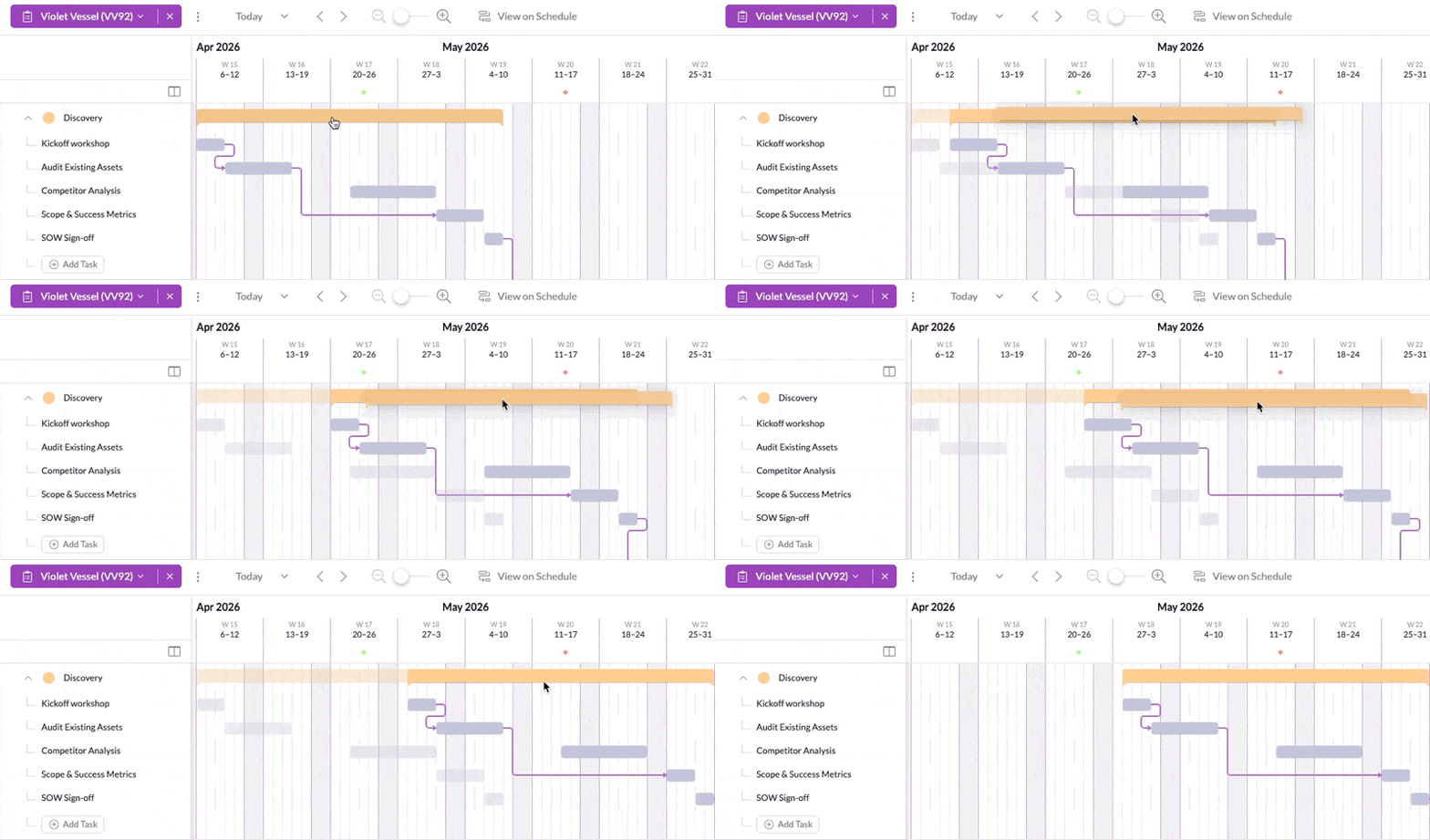
Our Gantt charts facilitate that by giving you straightforward ways to adapt your plans. You can drag and drop phases, and their tasks come along for the ride. You can also reorder tasks on the fly. That means you can pivot when you need to, and prioritize accordingly so you stay on track.
Highlight key dates and milestones
Key features you may be familiar with from the schedule are also available in Gantt charts, including milestones and project start and end dates.
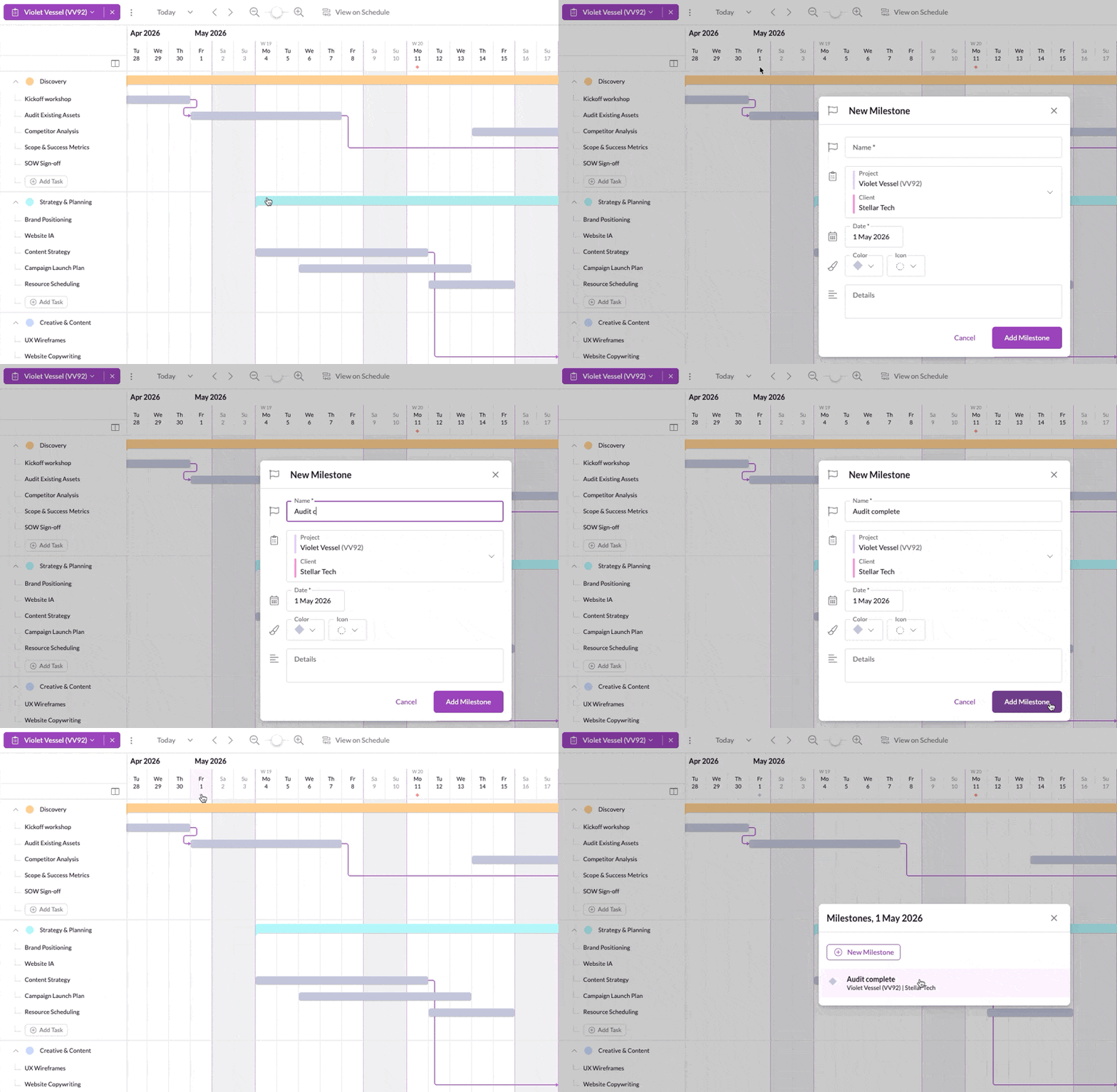
With these, you can keep a keen eye on important dates and deliverables, and make necessary adjustments with visibility into all the details you need.
Keep the whole team informed and aligned
Of course, no matter how solid the project plan—and its associated schedule—it’s not much use unless the people doing the work know what’s expected of them.
The visual clarity of Gantt charts I touched on earlier doesn’t only make for straightforward planning. It’s also a great way to keep the team informed on their responsibilities.
You can assign one or more people to each task on each Gantt chart. This gives everyone a detailed breakdown of what is expected of them early in the project to set expectations. It also simplifies scheduling as you know who you should schedule at each stage—and for what work.
The bottom line here is that Resource Guru facilitates planning and scheduling in one place, so your team gets visibility into all the work that’s in the pipeline, and when it’s due by. All of this combines to keep everyone aligned and projects on track.
Now live: Sharable Gantt charts
Keep everyone in the loop—from your team to your clients—using Gantt charts you can share with the whole team, and external stakeholders via a read-only link.
Save on admin, smooth out handovers
If you’ve previously been using separate systems for planning and scheduling, you’ll know how much of a time sink it can be trying to keep both in sync. That process gets even more complex if you hand over plans between team members.
Now, with this unified home for working on both the planning and scheduling stages of project management, you cut out double entry, skip manual errors, and you can complete context-rich handovers between stakeholders.
Note: You can also connect Resource Guru with external systems you use for task management, like Asana and Jira, via out-of-the-box integrations.
For more details about all that’s included in Gantt charts, and additional instructions, visit our Help Center.
Explore our product portal to see what’s planned next and what we’ve already added. Vote on which features are most important to you and submit new ideas to have your say!What’s next for Resource Guru?
FAQs about Resource Guru Gantt charts
How do I access Resource Guru Gantt charts?
If you’re an existing Resource Guru customer, you can access Gantt charts via the main navigation.
If you’re not using Resource Guru yet, sign up for a free trial to test out all the available features—including Gantt charts.
What Resource Guru plans include the Gantt charts?
Full access to Gantt charts is included on Blackbelt and Master plans. Visit our pricing page for more details.
Start planning, scheduling, and delivering
By bringing planning and scheduling together in one intuitive space, Resource Guru helps you create realistic roadmaps, balance workloads, and deliver on time.
With full visibility for every stakeholder and the flexibility to adapt as projects evolve, you can execute on plans seamlessly—every time.
To test out Gantt charts for your next project, simply start your free trial today:

Plan with Gantt charts. Deliver with smart scheduling.
Join thousands of managers using Resource Guru to plan projects and schedule people in one place.