

While you could always add public holidays to your team’s schedules on Resource Guru, this release seriously streamlines the whole process.
Now, by country and—optionally—region, Admins can choose to automatically populate time off for relevant public holidays for anyone in their organization.
In this article 📖
How it works
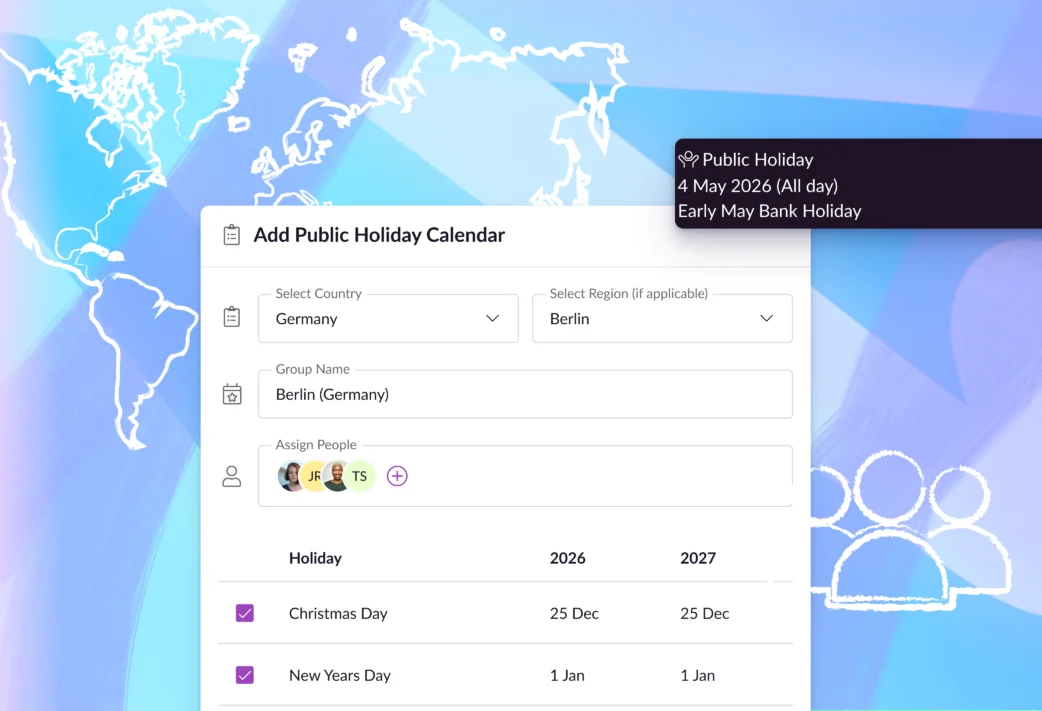
To get started with public holidays on Resource Guru, in the Settings menu, you can choose which calendars you want to add time off for.
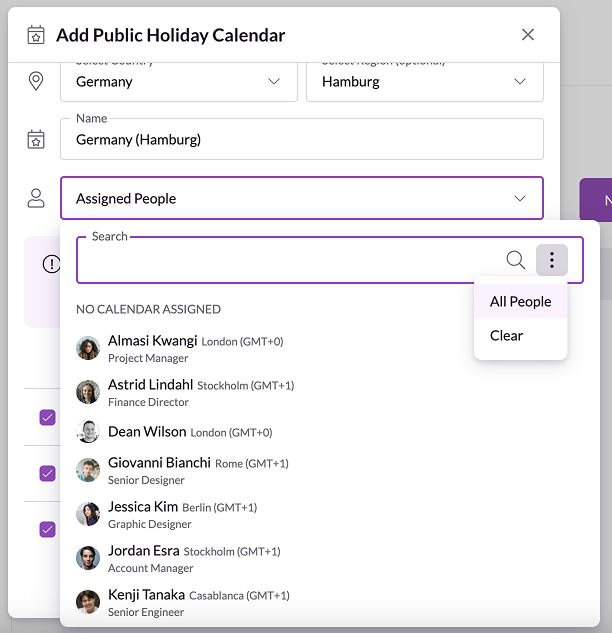
As we said, you can choose public holiday calendars by country, or get granular with the region selector if there’s a lot of variance you need to take into account. (We see you, Germany.)
From there, you can assign the relevant people on your team to each calendar you want to include, and select/deselect which specific holidays should appear in the schedule for them.
Once that’s done, time off will get added to each person’s schedule lined up with the specific dates on their relevant public holiday calendar.
It really is as simple as that, but you can also find blow-by-blow instructions in our Help Center.
Next, here’s a quick breakdown of the day-to-day benefits this brings.
Get an accurate view of capacity and availability
You can’t get the true story about who’s around to carry projects forward without insight into all their time off—public holidays included.
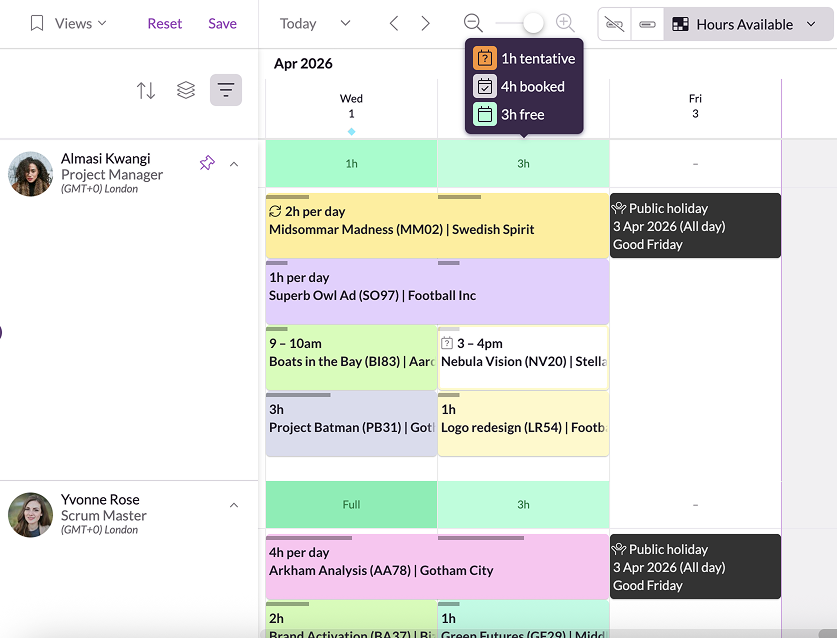
With the accurate, up-to-date data on specific public holidays that’s now included, you can make more precise plans based on the true availability of your team members.
This means your projections get even more trustworthy, and you can be more confident about hitting deadlines.
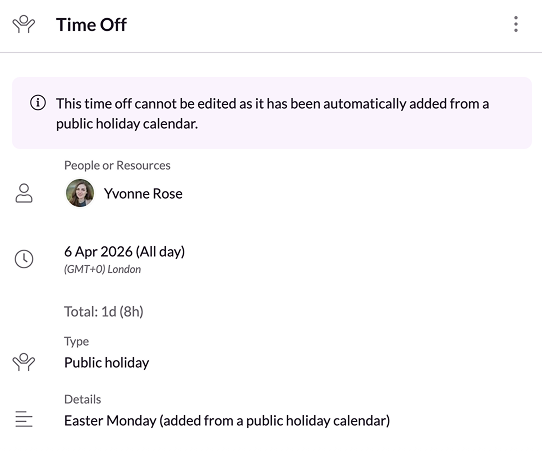
Note: Once you add a new public holiday calendar, it’ll only impact future dates from the date you set it up. Past dates and bookings aren’t affected. Other major benefits here are that this approach to public holidays saves you time, and prevents mistakes. Instead of manually adding time off for each public holiday, it’s all handled for you after setup. Plus, we maintain the list of public holidays for you—no more worrying about when the lunar cycle will make Easter land next year. Tied to the above, whether your team’s all in one timezone, or you’re globally distributed, knowing when folks are going to be out of office directly impacts how you manage their time and assign them work. Without adequate visibility, this gets particularly tricky at larger orgs where there are often 100s of personal schedules to juggle. But, with this approach to public holidays, it all gets handled for you so everyone can stay on the same page, every day of the year. Public holidays are available on all Resource Guru plans. To explore them alongside other powerful team scheduling and resource management features, start your 30-day free trial today: Join thousands of project managers who have made scheduling a breeze. Check out our product portal for the latest updates on our roadmap, including multiple out-of-the-box integrations. Explore our product portal to see what’s planned next and what we’ve already added. Vote on which features are most important to you and submit new ideas to have your say!Cut out admin time, and human error
Keep everyone aligned

The #1 scheduling tool trusted by thousands of project teams
What’s next for Resource Guru?
What’s next for Resource Guru?